



As an engineer here at RM (Rapid Manufacturing), I get asked about acronyms all the time. But few are as context-dependent as “FDM.” If you’re a designer, it means one thing. If you’re in finance, it means something completely different. This confusion can lead to major miscommunications.
Today, we’re going to clear it all up. We’ll build the definitive guide to what FDM stands for, focusing on its most transformative meaning in the world of modern manufacturing and 3D printing.
The Instant Answer: What Does FDM Stand For?
Let’s get the main question out of the way immediately. The meaning of FDM depends entirely on the industry you’re in.
- In 3D Printing & Manufacturing (Our Focus): FDM stands for Fused Deposition Modeling. This is a 3D printing process that builds objects layer-by-layer by extruding a thermoplastic filament.
- In Business & Finance: FDM often refers to Financial Data Management, the processes and policies for managing an organization’s financial data.
- In IT Services: FDM is widely known as FDM Group, a global IT services and consulting company.
- In Gaming & Slang: In some online communities, particularly around games like Fortnite, FDM can be slang for Fortnite Deathmatch.
- In Telecommunications: FDM stands for Frequency Division Multiplexing, a technology that transmits multiple signals over a single communications channel.
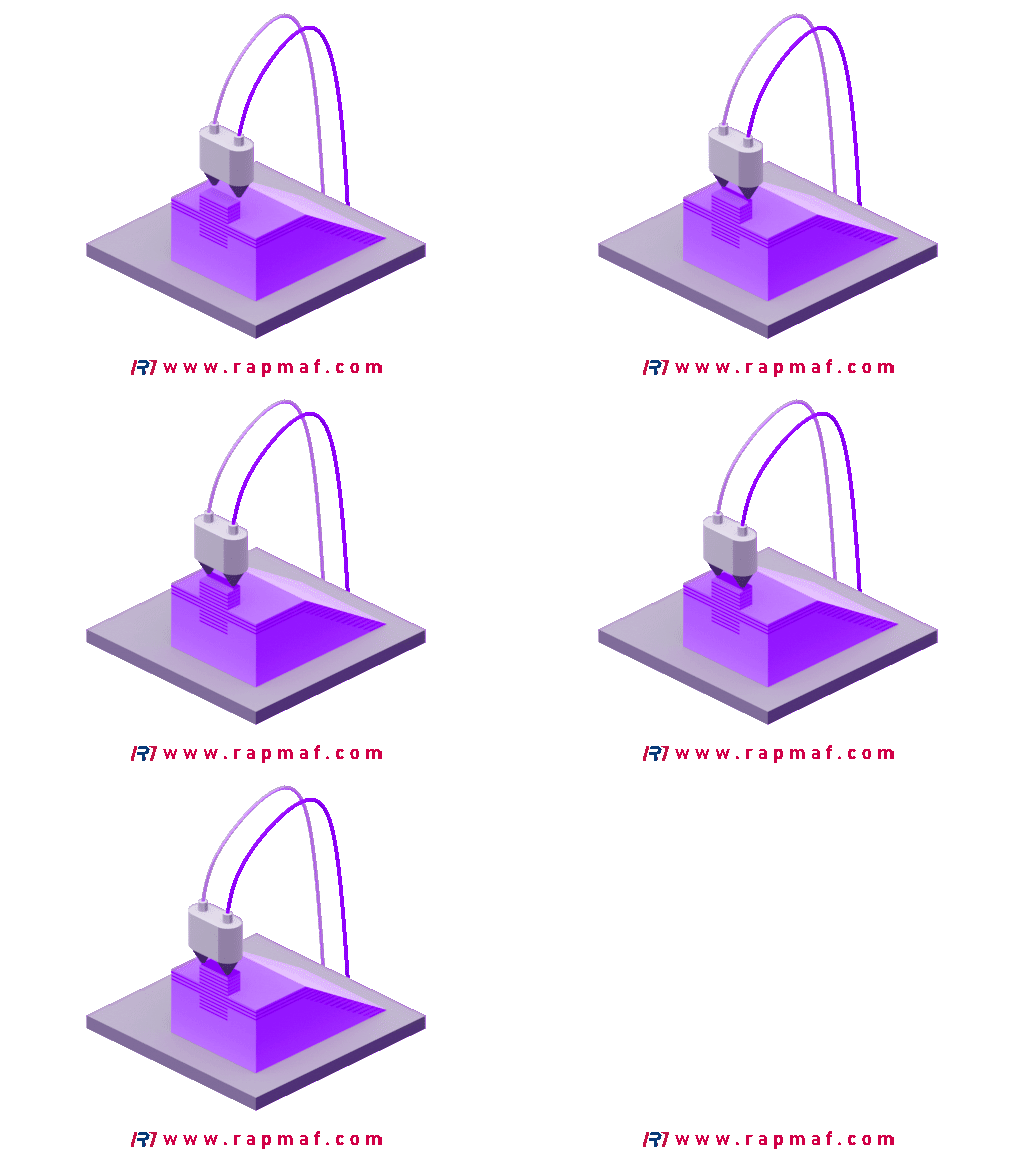
For the rest of this in-depth guide, our focus will be on the first and most impactful meaning: Fused Deposition Modeling. This technology has revolutionized how we at RM, and countless companies worldwide, approach prototyping, tool creation, and even final part production.
Our Focus: The FDM in 3D Printing & Manufacturing
When an engineer, designer, or product developer says “FDM,” they are talking about the most accessible and widely used 3D printing technology on the planet. To truly understand it, you have to break down the name itself. It’s not just a random collection of words; it’s a perfect description of the process.
Deconstructing the Name: What Each Word Means
- Fused: This is the “heating” part of the process. A solid plastic filament, typically spooled like a thick fishing line, is fed into a heated nozzle (called an extruder). The nozzle heats the plastic to its specific melting point, turning it from a solid into a viscous, semi-liquid state—it becomes “fused.”
- Deposition: This is the “placing” or “building” part. The printer’s nozzle, now extruding the molten plastic, moves precisely along a computer-controlled path (using G-code, which we’ve discussed before). It “deposits” this molten material onto a build platform, drawing the first layer of the object.
- Modeling: This refers to the final output. As the printer deposits layer upon layer of fused material, with each new layer bonding to the one below it as it cools, a three-dimensional object—a “model”—is built from the ground up.

So, in the simplest terms, Fused Deposition Modeling is the process of building a 3D model by depositing layers of fused material. Think of it as a highly precise, robotic hot glue gun that builds an object from scratch.
FDM vs. FFF: Unraveling the Trademark Confusion
If you’ve spent any time in the 3D printing world, you’ve likely seen another acronym used interchangeably with FDM: FFF, which stands for Fused Filament Fabrication.
Are they the same thing? For all practical purposes, yes.
This is one of the most interesting historical footnotes in modern manufacturing. The term “Fused Deposition Modeling” and the FDM acronym were trademarked by the inventor of the technology, Scott Crump, who co-founded the 3D printing giant Stratasys in the late 1980s. For years, this meant that only Stratasys could legally market their machines as using the “FDM” process.
However, in the mid-2000s, the open-source RepRap Project aimed to create a self-replicating 3D printer that anyone could build. To avoid infringing on the Stratasys trademark, the RepRap community coined the term “Fused Filament Fabrication” (FFF) to describe the exact same process.
As the patents for the original FDM technology expired, the market was flooded with affordable FFF printers (like those from Creality, Prusa, and Ultimaker). Today, the terms are used almost synonymously, but it’s a mark of an industry veteran to know the difference:
- FDM: The original, trademarked term, still primarily used by Stratasys for their industrial-grade systems.
- FFF: The open-source term, commonly used to describe the vast ecosystem of desktop and prosumer 3D printers.
At RM, we operate both high-end industrial FDM systems and a fleet of professional FFF machines. The underlying physics is identical, but knowing the history helps understand the landscape of the technology.
The FDM Printing Process: A 7-Step Breakdown
The magic of FDM is its apparent simplicity, but as with any manufacturing process, precision and control are everything. When a client sends us a file for a prototype, it goes through a rigorous, multi-stage workflow before a physical part exists. Let’s walk through that journey.
Step 1: Digital Design & File Preparation (CAD)
Everything starts with a 3D model. Our clients or our internal design team will create this using Computer-Aided Design (CAD) software like SolidWorks, Fusion 360, or CATIA. This is the digital blueprint of the final part.
For FDM, we pay special attention to “Design for Additive Manufacturing” (DfAM). This means considering things like:
- Overhangs: Can a feature be printed without support material underneath it? (The 45-degree rule is a common guideline).
- Wall Thickness: Are the walls thick enough to be strong but not so thick they waste material and time?
- Orientation: How will we orient the part on the build plate to maximize strength and minimize the need for supports? The strength of an FDM part is always greatest along the X-Y plane (the flat layers) and weakest along the Z-axis (the bond between layers).
Once the design is finalized, it’s exported, most commonly as an .STL (Stereolithography) or .STEP file. This file doesn’t contain instructions; it’s just a geometric description of the surface of the model.
Step 2: Slicing (The Secret Sauce)
This is where the real “programming” for the printer happens. The .STL file is imported into a specialized piece of software called a “slicer.” The slicer’s job is to cut the 3D model into hundreds or thousands of thin, horizontal layers—like a virtual MRI scan.
It then generates the G-code, the specific command-line instructions the 3D printer will follow to create each layer. This is where we, as the manufacturing experts, control every single variable:
- Layer Height: Thinner layers (e.g., 0.1mm) mean a smoother surface finish but much longer print times. Thicker layers (e.g., 0.3mm) are faster but more visible.
- Infill: Does the part need to be solid? Or can it be mostly hollow with an internal support structure (the infill)? We can choose from patterns like grids, triangles, or gyroids, and set the density from 0% (hollow) to 100% (solid). For a prototype, 15-20% is often plenty.
- Support Structures: For any steep overhangs or bridges, the slicer will automatically generate temporary support pillars that can be broken away after the print is finished.
- Print Speed & Temperature: These are fine-tuned based on the specific material (e.g., PLA, ABS, PETG) being used to ensure perfect layer adhesion without melting or stringing.
Slicing is an art form. The G-code file it produces is the masterpiece that guides the machine.

Step 3: Machine Preparation
With the G-code ready, we prepare the FDM printer. This involves loading the correct spool of thermoplastic filament into the extruder, ensuring the nozzle is clean, and confirming the build platform is perfectly level and clean. A clean, level bed is non-negotiable for a successful first layer.
Step 4: The Build Process (Deposition)
The G-code is sent to the printer. The nozzle and the build plate heat up to their target temperatures. Then, the process begins. The print head moves along the X and Y axes, precisely extruding the molten filament to trace the shape of the first layer. Once the layer is complete, the build platform moves down slightly (or the print head moves up) by the exact layer height, and the process repeats.
This continues, layer by layer, for hours or even days, depending on the size and complexity of the object. The part slowly grows from the build plate upwards.
Step 5: Cooling and Removal
During the build process, cooling is actively managed. Fans on the print head cool the freshly deposited plastic just enough to solidify it so the next layer can be built on top. Once the print is complete, the part must cool down slowly with the machine. Removing it while it’s still hot can cause it to warp. After cooling, the part is carefully detached from the build plate, often with a scraper or by flexing the build surface.
Step 6: Post-Processing
The part that comes off the printer is rarely the final product. The first step is support removal. The temporary structures are carefully snapped or cut away. This can leave small marks, which may need to be sanded smooth.
Depending on the application, other post-processing steps can include:
- Sanding and Polishing: To reduce the visibility of layer lines for a better aesthetic finish.
- Vapor Smoothing: For certain plastics like ABS, exposure to acetone vapor can melt the outer surface, creating a glossy, injection-mold-like finish.
- Assembly: Printing large objects in smaller, interlocking pieces that are then bonded together.
- Installing Hardware: Adding threaded inserts, screws, or other components to the printed part.
Case Study: FDM for a High-Fidelity Drone Prototype
To show you the power of this process, let me tell you about a recent project.
- The Client: An aerospace startup developing a new quadcopter for industrial inspection.
- The Challenge: They had a final CAD design for the main body of the drone but needed to physically test the ergonomics, component fit, and aerodynamics before committing to the incredibly expensive injection molding tools for mass production. A mistake found after making the mold would cost them tens of thousands of dollars and weeks of delays.
- The FDM Solution: We took their
.STEPfile and used our industrial FDM machines to print a full-scale model of the drone body in ASA—a material similar to ABS but with excellent UV and weather resistance. - The Process:
- Slicing Strategy: We oriented the main body to minimize overhangs and used a 25% gyroid infill to provide strength without adding unnecessary weight. The layer height was set to 0.15mm for a good balance of speed and surface quality.
- Printing: The print took about 38 hours on one of our large-format machines.
- Post-Processing: After printing, our team carefully removed the support structures from the motor mounts and internal cavities, sanded the contact points smooth, and installed brass threaded inserts for all the screw holes.
- The Result: Within three days of sending us the file, the client had a physical, dimensionally accurate prototype in their hands. They were able to mount the actual motors, flight controllers, and sensors. They discovered that one of the battery tray tabs was too tight and a GPS module mount needed to be shifted by 2mm. They made the simple changes in their CAD file, sent it back, and we had a revised version printing that same day. This iterative process, impossible with traditional methods, saved them from a catastrophic tooling error.
FDM vs. Other 3D Printing Technologies (SLA & SLS)
FDM is the workhorse, but it’s not the only tool in our arsenal. Choosing the right 3D printing technology is crucial. Here’s how FDM stacks up against the other two main polymer printing methods: Stereolithography (SLA) and Selective Laser Sintering (SLS).
| Feature | FDM (Fused Deposition Modeling) | SLA (Stereolithography) | SLS (Selective Laser Sintering) |
|---|---|---|---|
| Technology | Extrudes molten thermoplastic filament layer by layer. | Cures a liquid photopolymer resin with a UV laser. | Fuses powdered polymer particles with a powerful laser. |
| Common Materials | PLA, ABS, PETG, ASA, TPU (flexible), Polycarbonate | Standard Resins, Tough Resins, Castable Resins, Flexible Resins | Nylon 11, Nylon 12, TPU (flexible), Glass-filled Nylon |
| Best For | Rapid Prototyping, Jigs & Fixtures, Concept Models | High-Detail Models, Molds for casting, Visual prototypes | Functional End-Use Parts, Complex Geometries, Living Hinges |
| Key Advantage | Low Cost, wide material variety, fast turnaround | Exceptional Surface Finish, fine detail resolution | High Strength & Durability, design freedom (no supports needed) |
| Key Disadvantage | Visible Layer Lines, lower strength in Z-axis | Brittle Materials, requires post-curing, messy process | Rough Surface Finish, higher cost, longer cooldown times |
Clive’s Analysis: Think of it this way:
- If you need a part fast and cheap to check form and fit, you use FDM. It’s our go-to for 90% of prototypes.
- If you need a part that is beautifully smooth for a marketing photoshoot or has tiny, intricate features, you use SLA.
- If you need a part that is strong enough to be a final product and has complex internal channels, you use SLS.
FDM in Other Industries: Clearing the Confusion
While in our world of engineering and manufacturing, FDM has one clear meaning, the acronym pops up in several other professional fields. This is a common source of confusion, so let’s clarify the other primary meanings you’ll encounter. This ensures that no matter why you searched for “FDM,” you leave with the right answer.
| Industry / Context | What FDM Stands For | Brief Explanation |
|---|---|---|
| 3D Printing / Manufacturing | Fused Deposition Modeling | (Our Focus) The process of building a 3D object layer-by-layer by extruding a thermoplastic filament. The most common and accessible form of 3D printing. |
| Business / Finance | Financial Data Management | The practice and systems used for collecting, storing, and analyzing an organization’s financial data. This is a core function of an enterprise’s IT and finance departments. |
| Software / ERP | Foundation Data Model (Workday) | Specific to the Workday enterprise resource planning (ERP) software, this refers to the core data structure that organizes all financial, HR, and operational information. |
| Telecommunications | Frequency-Division Multiplexing | An early method for carrying multiple signals on a single communications channel by assigning each signal a different frequency band. Analog radio is a classic example. |
| Marketing | Fulfillment, Distribution & Marketing | A less common but sometimes used term to describe the logistics and promotional activities of a direct marketing or e-commerce business. |
Clive’s Analysis: Context is king. If you’re talking to a mechanical engineer, FDM is a 3D printer. If you’re talking to a CFO or an IT systems architect, they’re likely talking about Financial Data Management or the Workday framework. Our expertise is firmly in the first definition, where FDM has physically changed the way we create everything.
The Final Word: FDM is the Language of Ideas Made Real
So, what does FDM stand for? In our world, Fused Deposition Modeling is more than just a technical term. It’s the engine of modern innovation. It’s the bridge that closes the gap between a digital idea on a screen and a physical object you can hold in your hand.
For decades, taking a design from concept to reality was a slow, expensive process gated by complex machining and tooling. FDM smashed those gates open. It democratized prototyping, allowing engineers, designers, and entrepreneurs to test, fail, and iterate at a speed and cost that was once unimaginable. As we saw in our drone case study, it’s not just about making a plastic part; it’s about de-risking a multi-thousand-dollar investment and getting a better product to market faster.
While other technologies like SLA and SLS offer superior finish and strength, FDM remains the undisputed champion of accessibility, speed, and versatility. It is the first, and often most critical, step on the journey of creation. It’s the workhorse technology that sits in our lab, humming away day and night, turning our clients’ biggest challenges into tangible solutions.
Frequently Asked Questions (FAQ) about FDM
1. What is the simple meaning of FDM?
FDM, or Fused Deposition Modeling, is the most common type of 3D printing. In simple terms, it works like a robotic hot glue gun, drawing an object one layer at a time by melting and extruding a plastic filament.
2. Is FDM the same as 3D Printing?
Not exactly. FDM is a type of 3D printing. Think of “3D Printing” (or Additive Manufacturing) as the overall category, like “vehicle.” FDM is a specific type within that category, like “car.” Other types include SLA (resin printing) and SLS (powder printing).
3. What does FDM stand for in business?
In a business or finance context, FDM typically stands for Financial Data Management, which refers to the processes and systems used to manage a company’s financial information. If the business uses Workday software, it could also refer to their Foundation Data Model.
4. Why is FDM sometimes called FFF?
FFF stands for Fused Filament Fabrication. After Stratasys trademarked the term “FDM” in the 1990s, the open-source community that developed around the technology needed a non-trademarked name for the same process. They coined “FFF.” For all practical purposes, FDM and FFF describe the exact same technology.
5. What are the main disadvantages of FDM?
The two biggest disadvantages are the visible layer lines on the final part, which gives it a less smooth finish than other methods, and anisotropic strength—meaning the part is weaker in the Z-axis (between the layers) than it is in the X-Y plane.
6. What does FDM stand for in a computer context?
In a computer context related to manufacturing, FDM refers to the 3D printing process that is controlled by a computer using a G-code file. This file is generated by “slicing” a 3D CAD (Computer-Aided Design) model, making computers an essential part of the FDM workflow.
Authoritative References
For further reading and to verify the information presented, we recommend the following high-authority sources:
- ASTM F2792 – 12a(2020)e1: Standard Terminology for Additive Manufacturing Technologies. This document from the American Society for Testing and Materials provides the official, standardized definitions for processes like FDM.
- “Method and Apparatus for Producing Three-Dimensional Objects” (U.S. Patent 5,121,329): The original patent filed by S. Scott Crump, the inventor of FDM and founder of Stratasys, which laid the groundwork for the entire industry.
- “A Review of Fused Deposition Modeling (FDM) 3D Printing: Materials and Characterization”: An academic paper published in the journal Advanced Materials, providing a deep dive into the materials science behind the FDM process.
Disclaimer
The information on this page is for informational purposes only. RM makes no representations or warranties, express or implied, as to the accuracy or completeness of this information. For any third-party services procured through the RM network, it is the buyer’s responsibility to specify and confirm performance parameters, tolerances, materials, and workmanship during the quotation process. For more detailed information, please do not hesitate to contact us.
RM: Your Precision Manufacturing Partner
RM is an industry leader in custom manufacturing solutions. With over 20 years of profound experience, we have become the trusted partner for more than 5,000 clients worldwide. We specialize in a comprehensive range of manufacturing services—including high-precision CNC machining, sheet metal fabrication, 3D printing, injection molding, and metal stamping—to provide you with a true one-stop-shop experience.
Our world-class facility is equipped with over 100 state-of-the-art 5-axis machining centers and operates in strict compliance with the ISO 9001:2015 quality management system. We are dedicated to providing solutions that blend speed, efficiency, and exceptional quality to customers in over 150 countries. From rapid prototyping to large-scale production, we promise delivery in as fast as 24 hours, helping you gain a competitive edge in the market. Choosing RM means selecting an efficient, reliable, and professional manufacturing ally.
Explore our capabilities today by visiting our website: www.rapmaf.com







4 Responses